
What is phishing attack :- Phishing is a type of online scam where an attacker sends a fake message or email that appears to be from a legitimate source, like a bank or social media site, to trick individuals into providing sensitive information such as passwords, credit card numbers or other personal data. The attacker then uses this information for financial gain or other malicious purposes. To protect against phishing attacks, it’s important to be cautious of suspicious emails or messages and to verify the legitimacy of requests for personal information before providing it.
What is Setoolkit :- SETOOLKIT (Social Engineering Toolkit) is a freely available, open-source tool used for security testing and ethical hacking purposes. It is designed to simulate real-world social engineering attacks by automating a variety of attack vectors such as spear phishing, credential harvesting, and website cloning. The tool provides an easy-to-use interface for users to launch these attacks against targets, and can help security professionals and penetration testers test an organization’s security defenses. However, it’s important to note that the use of SETOOLKIT for any purpose other than ethical hacking and security testing is illegal and unethical.
Installation Setoolkit
Note📝 :- Setoolkit for only rooted OS
First install Kali Linux/Ubuntu in termux
Install Kali Linux :- Kali Linux
Install Ubuntu Linux :- Ubuntu
Windows 10 WSL/WSL2 Kali Linux
- sudo apt install set -y
Kali Linux on Windows 10 is a minimal installation so it doesn’t have any tools installed. You can easily install Social Engineer Toolkit on WSL/WSL2 without needing pip using the above command.
Linux
- git clone https://github.com/trustedsec/social-engineer-toolkit/
- cd setoolkit
- pip3 install -r requirements.txt
- python setup.py
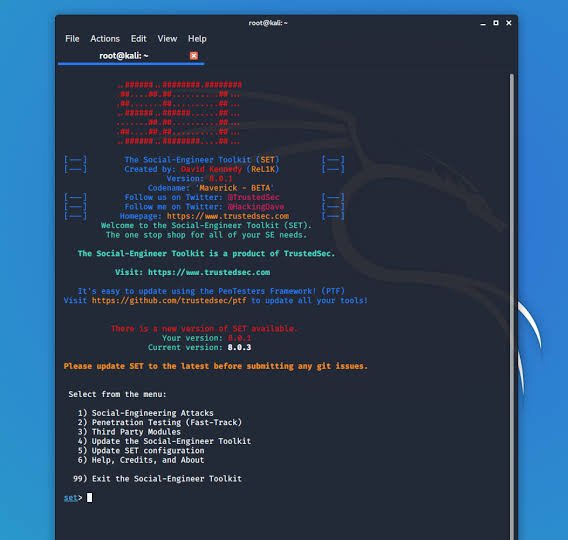
Note 📝 :- Finally all the processes of installation have been completed now it’s time to run the social engineering toolkit .to run the SEToolkit type following command.
- setoolkit
𝙿𝚛𝚘𝚟𝚒𝚍𝚎𝚜 𝚗𝚘 𝚠𝚊𝚛𝚛𝚊𝚗𝚝𝚢 𝚠𝚒𝚝𝚑 𝚝𝚑𝚒𝚜 𝚝𝚘𝚘𝚕 𝚊𝚗𝚍 𝚠𝚒𝚕𝚕 𝚗𝚘𝚝 𝚋𝚎 𝚛𝚎𝚜𝚙𝚘𝚗𝚜𝚒𝚋𝚕𝚎 𝚏𝚘𝚛 𝚊𝚗𝚢 𝚍𝚒𝚛𝚎𝚌𝚝 𝚘𝚛 𝚒𝚗𝚍𝚒𝚛𝚎𝚌𝚝 𝚍𝚊𝚖𝚊𝚐𝚎 𝚌𝚊𝚞𝚜𝚎𝚍 𝚍𝚞𝚎 𝚝𝚘 𝚝𝚑𝚎 𝚞𝚜𝚊𝚐𝚎 𝚘𝚏 𝚝𝚑𝚒𝚜 𝚝𝚘𝚘𝚕 𝚘𝚛 𝚝𝚑𝚒𝚜 𝚝𝚞𝚝𝚘𝚛𝚒𝚊𝚕.
For contact🌐📞
 Cyber tech zone